You send the final logo files on a Tuesday. By Thursday, your client is printing business cards using the version you sent three weeks ago. The revision they asked for, the one where you changed the tagline and adjusted the spacing, is sitting in an email they never reopened. You find out when they send a photo of the proof.
This is not a communication failure in any dramatic sense. Nobody is being careless. It’s a structural problem: when file delivery happens through email, every attachment looks the same. There’s no hierarchy, no clear label distinguishing “draft” from “approved final,” and no single place a client knows to check. According to a McKinsey report, workers spend an average of 1.8 hours per day searching for information. Clients aren’t knowledge workers sorting internal docs, but the same friction applies when their project files are scattered across a thread with 22 replies and three different subject lines.
Why Renaming Files Doesn’t Actually Solve It
The common workaround is aggressive file naming: Logo_FINAL_v3_APPROVED_USE-THIS-ONE.pdf. It works until it doesn’t. The moment a client forwards that email to their printer, the file context travels with it in a way that’s hard to control. A newer version sent the following week creates a second attachment in a second thread, and now there are two files with similar names and no obvious way to tell which supersedes the other. The behavioral fix (better naming conventions) places the burden on clients to track version history in their inbox, which is not a reasonable expectation.
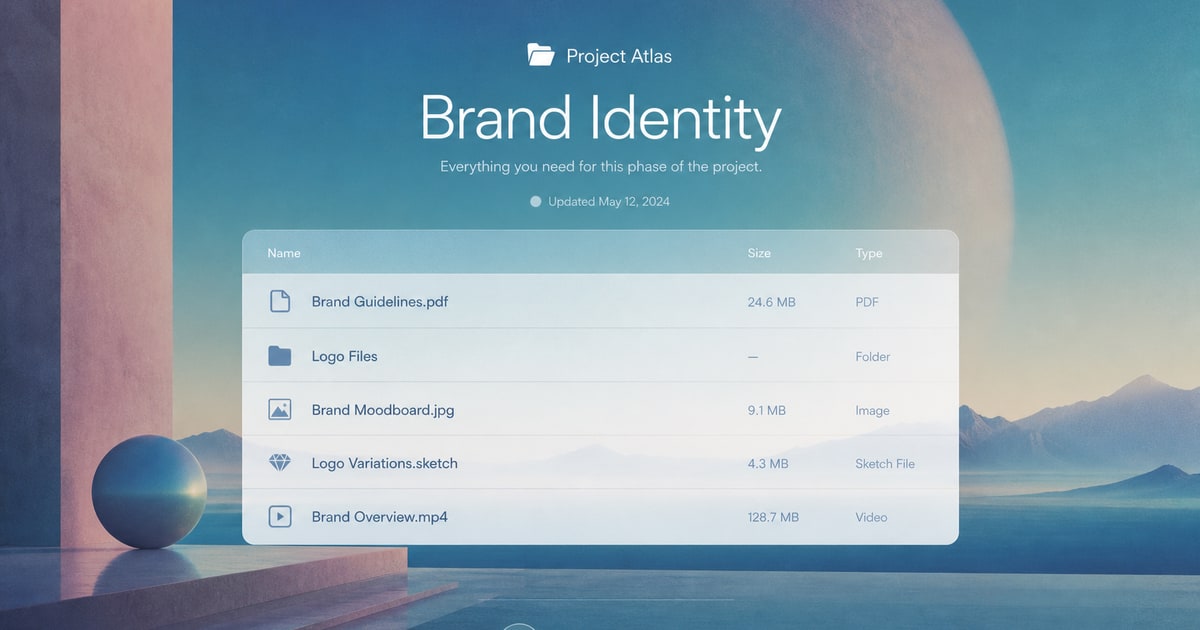
The structural fix is a single, persistent location where the current version of every deliverable is always the most visible thing. A dedicated client portal does this by design. Instead of appending files to an email chain, you post the updated version to a named project folder. The previous draft either disappears or gets archived out of sight. Your client logs in, sees one file labeled clearly for what it is, and downloads that. There is no ambiguity about which version is current because the portal is the source of truth, not a thread.
What This Does for Client Trust
Beyond the practical fix, the way you deliver files signals how you run your business. A client who has to ask “is this the final version?” is a client who is not fully confident in the handoff. That small friction compounds. It creates follow-up emails, delays approvals, and occasionally results in expensive reprints or published work using outdated assets. None of that builds the kind of trust that generates referrals.
Tools like The Client Space are built specifically for this scenario. Each client gets a branded portal where files are organized by project, versions are explicit, and there’s no inbox archaeology required to find the right asset. It replaces the informal, attachment-heavy workflow with something that looks and functions like a professional handoff should. When a client logs in and sees their files organized and clearly presented under your agency’s branding, they’re not wondering which PDF is the right one. The confusion that causes the wrong-file problem disappears because the environment that enables it is gone.